


Geological Model
The "Geological Model" frame allows us to create a 3D subsoil model.
The program allows two modeling approaches:
- Using a master borehole – suitable mainly for models with a large number of tests and simple geology. The model respects all boundary conditions (interfaces, tests, soil profiles, boreholes), however, working with master boreholes is more demanding.
- Using defined interfaces – simpler and more transparent for complex tasks involving faults and lenses. Entered tests (boreholes, soil profiles) are not used in model generation — the model is generated only from defined or created Interfaces.
Easy models can be created only from the boreholes. For models with complex geology, it is recommended to create a model from the assigned interfaces, which are generated from the geological sections.
When modeling with a master borehole, the main control elements are:
- Table of boreholes - contains a list of boreholes, which can be added and edited
- Visualization of currently selected borehole displayed between the table of boreholes and table of layers (including a display of zero layers)
- Table of layers - contains a list of all layers used in the model, list of assigned interfaces, the order of generation, and information if the interface is smoothed or not. The content of the table corresponds to the master borehole.
When modeling with defined interfaces, only the table of layers is available. All interfaces that should be used during generation must be added to this table. For each interface, the "Soil below the interface" is assigned.
The "Generate" button - launches generation of a model, we recommend a more powerful 64-bit version for complex tasks
The workflow of modeling is shown in the engineering manuals at our websites.
- EM 40 - "Basic Work using the Stratigraphy Program"
- EM 41 - "Advanced Modeling in the Stratigraphy Program"
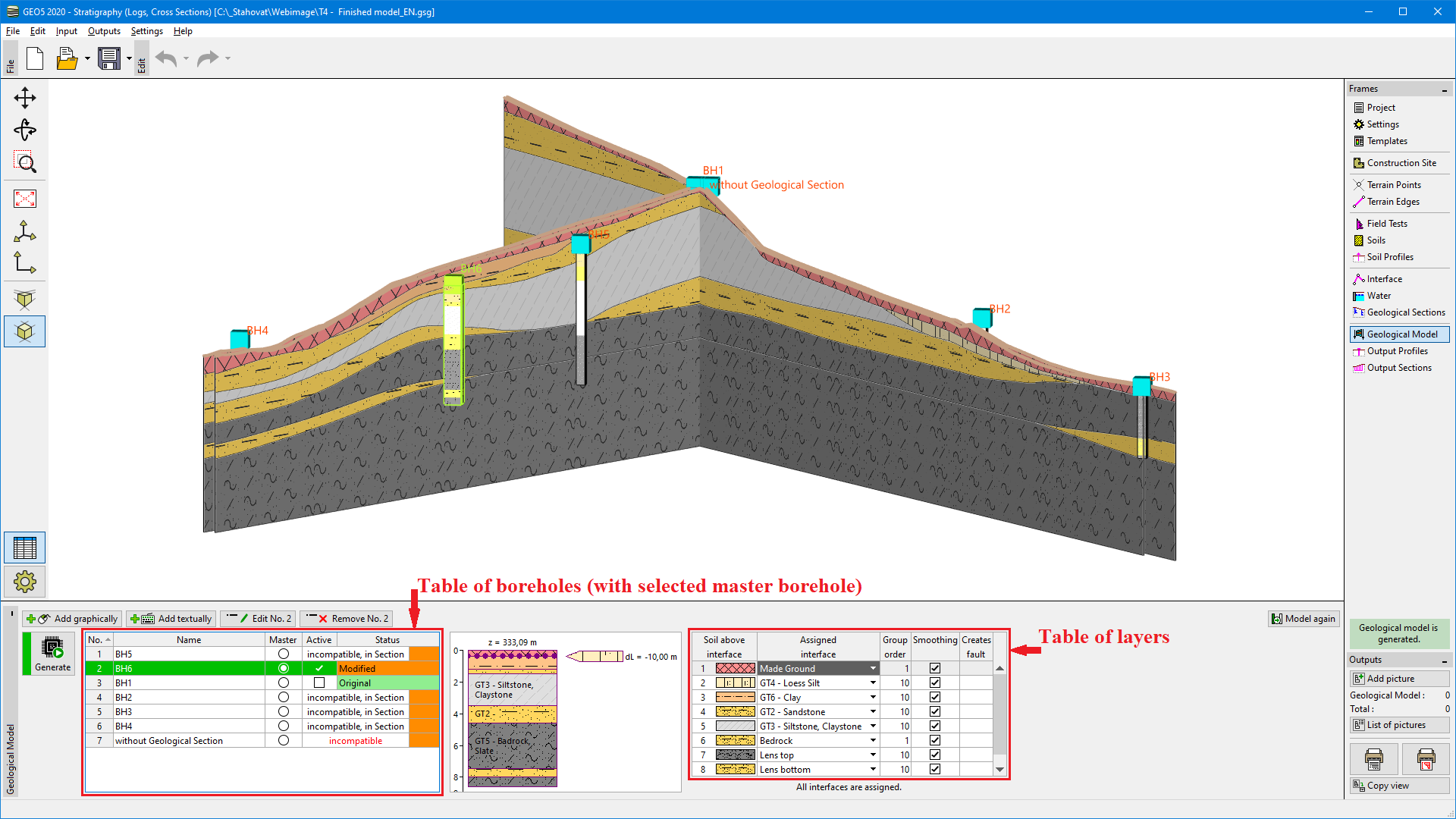 "Geological model" frame - modeling using master borehole
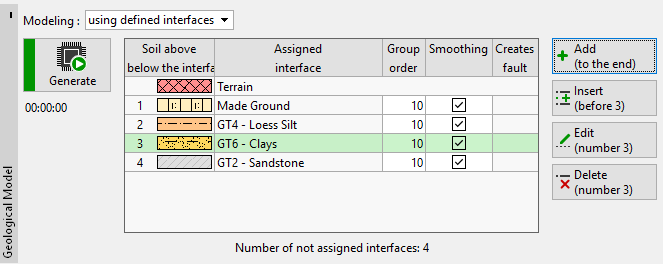 Modeling using defined interfaces
"Model again" button - cancels the created model (In this case, all newly created boreholes will be deleted, and the boreholes created from soil profiles will be restored to the original state).
Visualization of drawing on the desktop can be modified in any input mode based on the settings adjusted in the "Drawing Settings" frame and with the help of buttons on the "Visualization" toolbar.