


Verification
The "Verification" frame shows the analysis results. Several computations can be carried out for a single task.
The frame appearance is adjusted based on the selected verification methodology.
- Verification according to the factor of safety or the theory of limit states - the last column in the table allows for inputting the design coefficients, which multiply the calculated forces. These forces are displayed on the desktop and are updated for every change of data and setting in the frame.
- Analysis according to EN 1997 - the last column in the table allows us to specify whether the load acting on a structure is considered to be a secondary one. This is explained in more detail in section "Load combinations".
- Analysis according to LRFD or SIA 267 - in this case, the last column is not displayed at all.
The wall is loaded either by active pressure or pressure at rest depending on input in the "Stage settings" frame.
The procedure for wall verification is described in the theoretical part of the help.
The computed forces are displayed on the desktop and are automatically updated with every change of input data and setting.
The right part of the frame shows the result of wall verification against overturning and translation and, if applicable, the horizontal deformation of the stem (if the calculation is checked in the "Settings" frame). The "In detail" button opens the dialog window, which contains a detailed listing of the verification analysis results.
Visualization of results can be adjusted in the "Drawing Settings" frame.
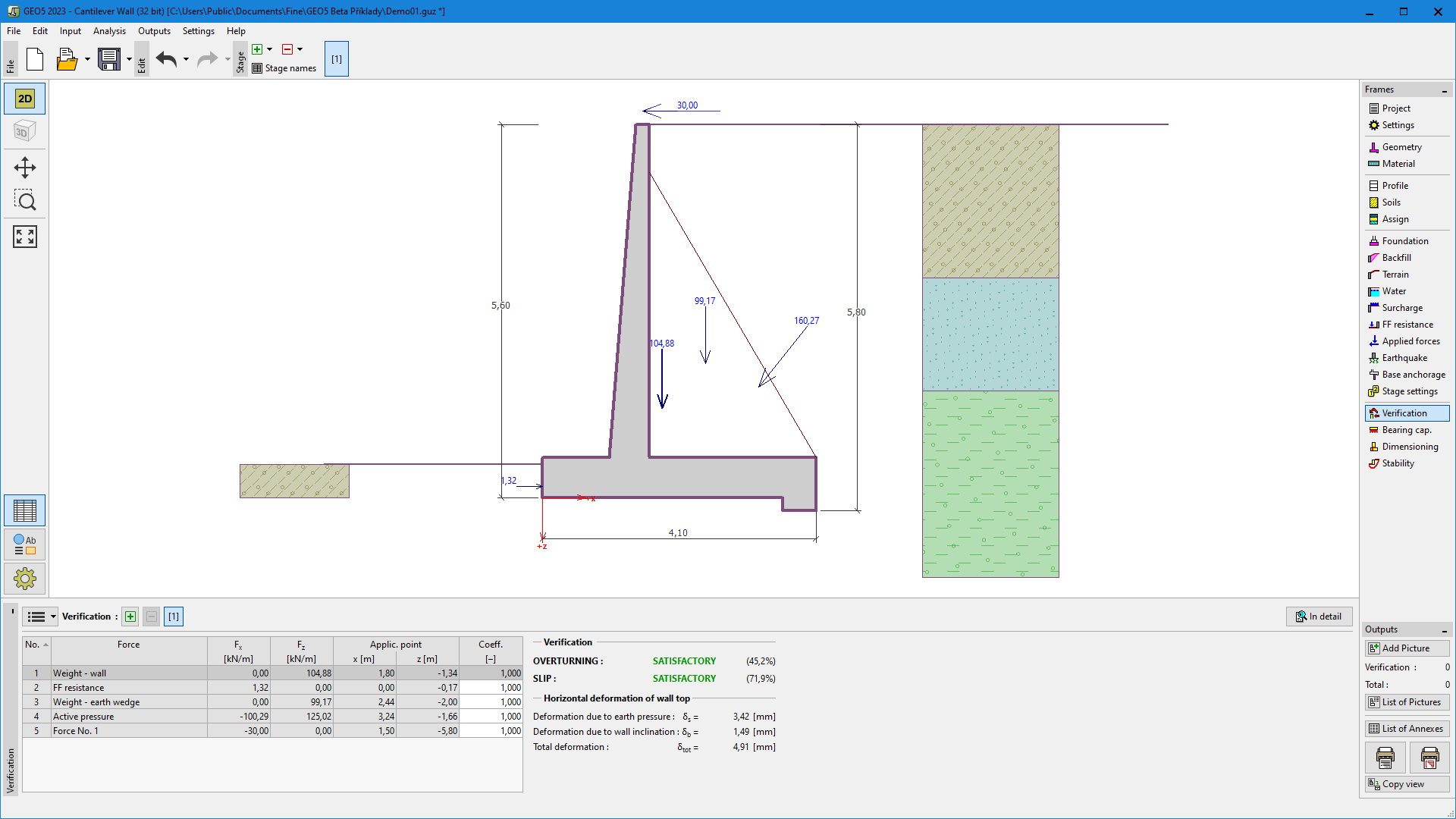 "Verification" frame